Campaigns + websites

YOUR PRACTICE, OUT IN THE WORLDOne clear invitation.Campaign → page → inquiry


THE CONNECTED CHIROPRACTIC MARKETING SYSTEM
Connect the inquiry, the booking and the follow-up. One workspace, with AI for routine tasks and your team in control.
21 days free for qualifying chiropractic practices. Availability and terms apply.
 Your practice / Overview CONNECTED


Faster responses. Easier booking. Follow-up that keeps moving. Explore what PowerPANEL can take off your team’s plate.
See it in action.
Keep the door open with an automatic text. Carry the reply into the same inbox your team uses for calls, email and messages.
First visit at XYZ Chiropractic
Give people a clear way to choose a time, with the confirmation and first-visit preparation connected.
Plan useful reminders and return invitations, with the reply coming back to your team.
Your practice, present between visits.


Plan the posts, connect a landing page and form, and follow up by email or text—from the same workspace.
Send a personal review invitation with a direct link. Keep feedback close to the team that knows the patient.
Connect source, contact activity and appointments, so your next decision starts with a clearer picture.
Distinctive work. Shared feedback. Everything moving together.
Illustrative annual plan · Your practice shapes the themes.

 Wild Life
  Sunshine
  Revive
  Northstar
  Rooted
  Daybreak
 A recognisable visual identity, carried through the moments that matter to a practice’s community.
Illustrative campaigns with fictional people. These are proposed social layouts, not published posts or patient results. The email uses fictional Flourish Chiropractic and Dr. X. Campaign checklist choices stay local; no appointment is booked or message sent.
Review the work PowerSURGE prepares for your practice, leave feedback beside the creative and keep approvals in the same conversation.
PUT POWERPANEL TO WORK
See how the patient-flow layer fits your practice—before deciding how far to take it.
Apply for my 21-day free trialFor qualifying chiropractic practices in available cities. We confirm your practice fit, trial scope and next steps together. Trial terms apply ↗
MAKE THE TRIAL MEAN SOMETHING.
Does the real question get a useful answer?
Is the next step clear and easier to arrange?
Can your team see who owns what happens next?
Start with the handoff you most want to improve.
A patient experiences one practice. PowerPANEL connects the conversations, appointments and follow-through behind that experience.
Help people see what your care could make possible—and give that interest somewhere to go.
Keep your team in control.Give each step a specialist—from the first question to a prepared visit and a welcome return. All working in PowerPANEL, with your team in the loop.
Illustrative scenarios. Choose a role, or watch the examples.
Give interested people useful answers and a clear next step, without making your team chase every conversation.
Five patient-flow specialists. One connected journey. Follow one inquiry through the team ↗Your team at the heart of the care.
Good marketing needs more than a fast reply. Bring the design, campaign details and community care into the same conversation.
One recognisable idea, carried from the first ad to the email, page and next step. Dax helps turn your direction into work that feels like your practice—not a template with your logo dropped in.

The message. The page. The conversation.
Original campaign examples · Proposed email · Useful reading
More golf. Less sitting out. Creative that starts with what people love.


xyzchiropractic More skiing. Less missing out. One recognisable identity, wherever they see you.
Original campaign examples in illustrative app frames. No live post or engagement results implied.
 Email preview


Original website directions for illustrative clinic brands.
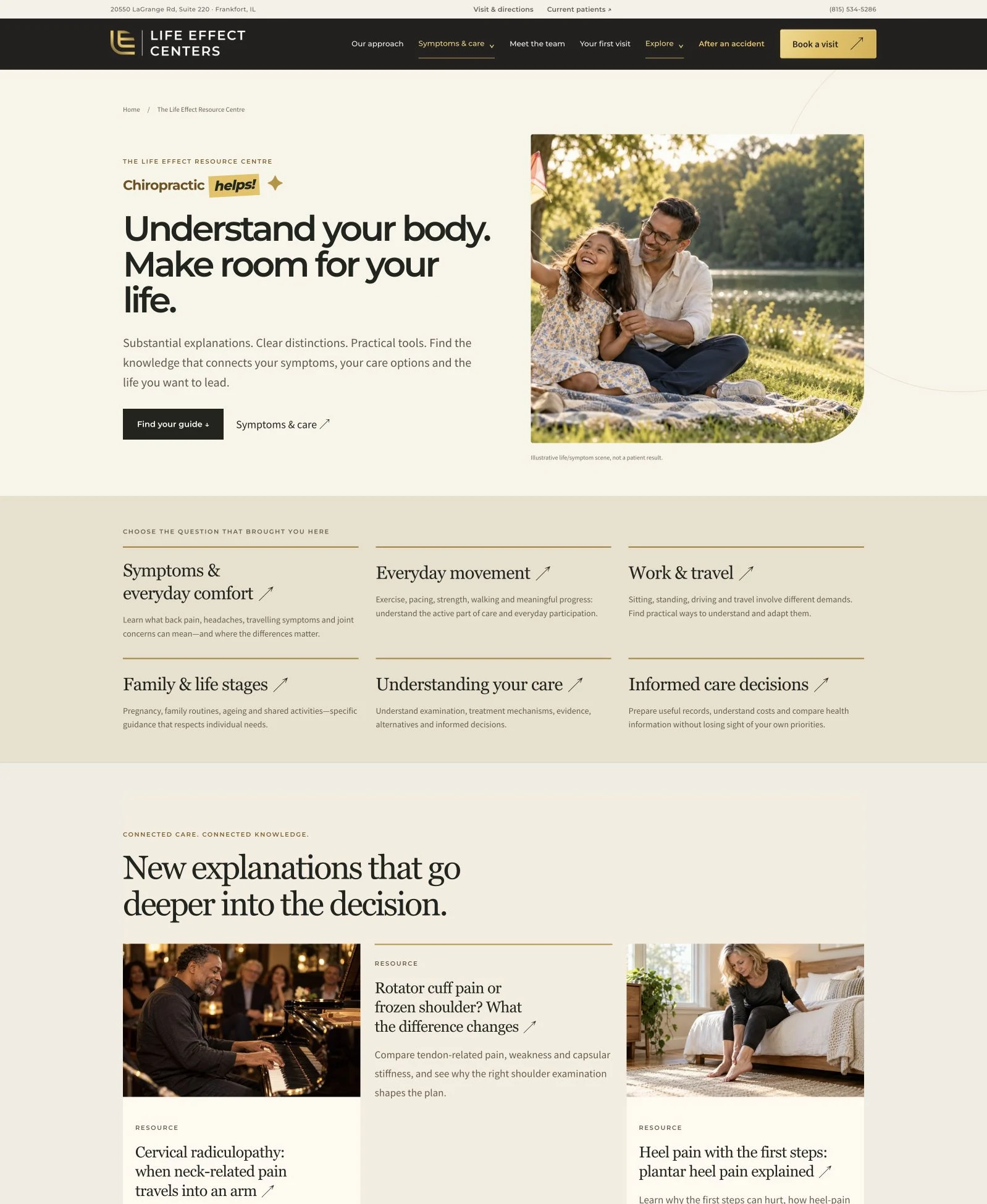
Actual project screen, not a live clinic page. Controls pictured inside the screenshot are not interactive.
Enlarge screenshot ↗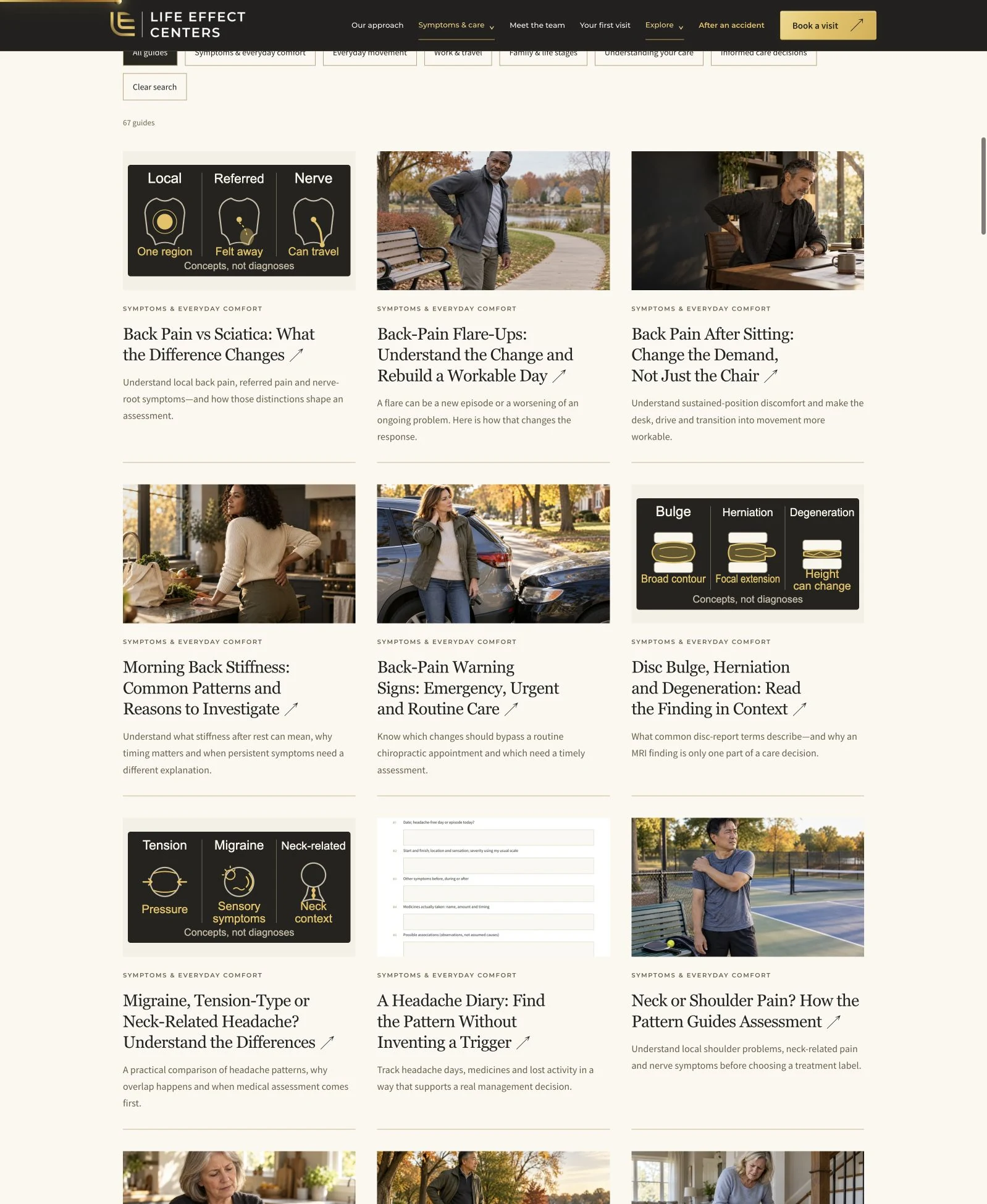
Actual project screen, not a live clinic page. Controls pictured inside the screenshot are not interactive.
Enlarge screenshot ↗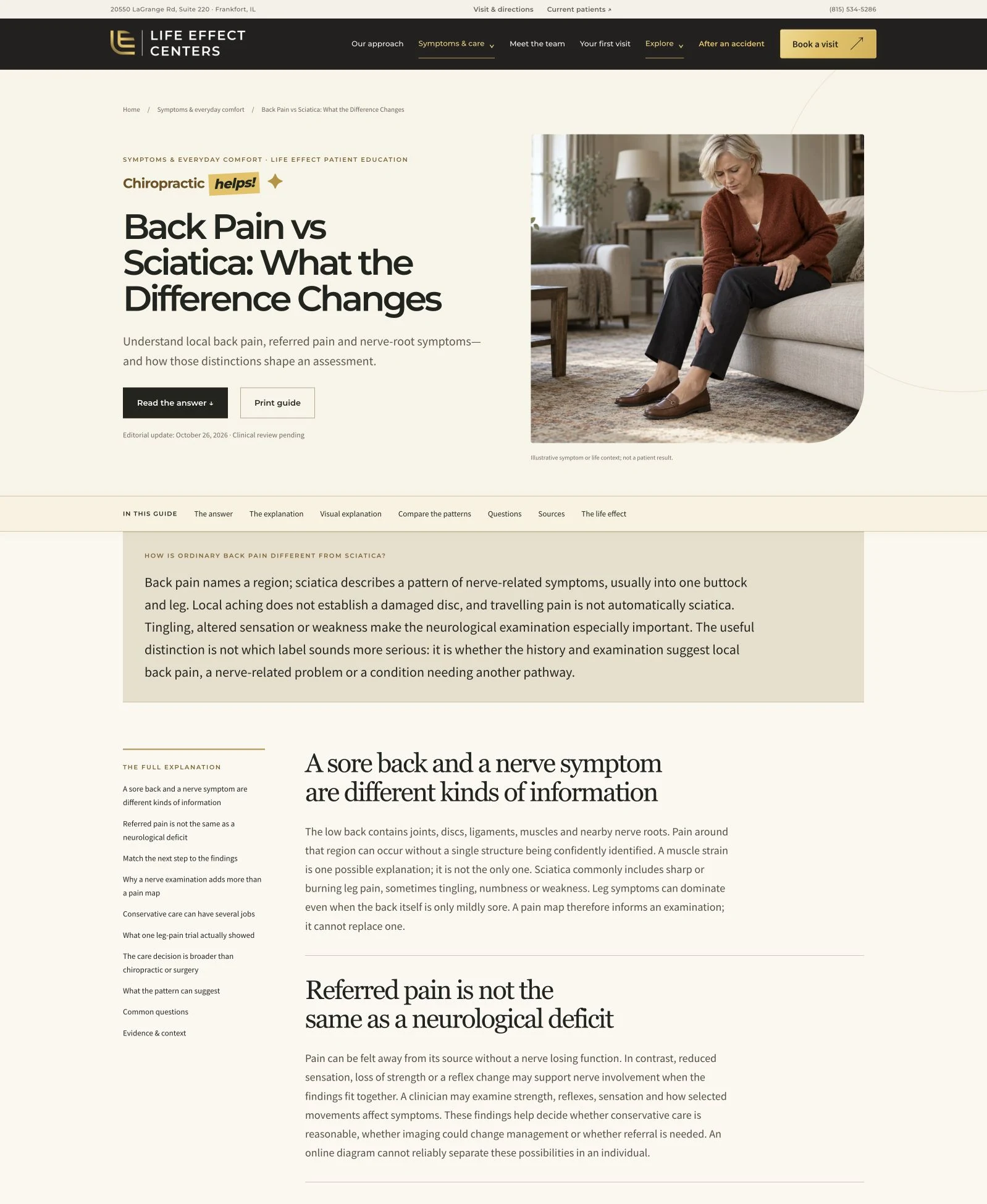
Actual project screen, not a live clinic page. Controls pictured inside the screenshot are not interactive.
Enlarge screenshot ↗See the work in its world.
Explore the R.O.I. MethodThe early tee time. The people you play with. The trip you have been planning. Golf can mean much more than a score. If discomfort is changing how you take part, talk to your chiropractor about your concerns and options.
The season pass. The mountain weekends. The family tradition. There is a lot wrapped up in a day on the slopes. If discomfort is changing your plans, ask your chiropractor about an assessment and your options.
Email previewActual project screen, not a live clinic page. Controls pictured inside the screenshot are not interactive.
Enlarge screenshot ↗Actual project screen, not a live clinic page. Controls pictured inside the screenshot are not interactive.
Enlarge screenshot ↗Actual project screen, not a live clinic page. Controls pictured inside the screenshot are not interactive.
Enlarge screenshot ↗BRING THE QUESTIONS THAT MATTER
You can begin with a question. Find out what the practice offers and what a first visit would involve for you.
Yes. Tell your chiropractor what you have planned, when it is happening, and which activities concern you. Ask what an assessment could clarify and whether care may be appropriate for your individual concern.
That is a conversation to have with your chiropractor, informed by an assessment of your individual concern. Ask about the reasoning, options, benefits, and risks before making a decision.
Ask what the appointment includes, who you will meet, what to bring, the fees, and how the practice will explain your options. You can use the questions checklist on this page to prepare.
Nothing is submitted or stored. The practice would assess your concern and explain whether care may be appropriate.
Native excerpt of the original campaign’s conversation checklist and questions. Illustrative example; no clinic identity, patient story, treatment outcome or live booking is represented.
Original campaign example · No appointment booked
Start with a real question. Give the creative, the next step and the person replying a shared brief.
Choose a meaningful life moment, develop a useful doctor answer and give the invitation a matching destination.
Explore the content workshopThe tee time. The lessons. The people you play with. One recognisable priority carries through the work.
Map the question, draft, review and response owner. Match the creative with its page and readable email before publication.
Read the connected calendar guideCarry the original question, the useful context and the next action into the team handoff. Care-specific questions belong with the practice’s people.
Explore the human handoff guide“Interested in the Golf page. Wants to understand the first visit and after-work availability.”
Next owner: the practice team.Bring the post, email and page into one shared plan. Otto helps clarify what is being made, what needs approval and who takes the next step.

Illustrative comments and an unsent invitation, with no patient outcome claimed.

The bike rides. The backyard games. The “watch this!” moments. Being part of it matters.
Explore the matching Play pageProposed · UnsentHi Maya,
Thank you for visiting the practice.
If you would like to share your experience, an honest review can help others understand what to expect.
Please share only what you are comfortable making public.
Review destination · Preview onlyThank you,
The practice team
The post is only the beginning. Carrie helps your practice respond with care, invite genuine reviews and bring the right questions to your team.

THE POWERPANEL TOOLKIT
Websites, messages, calendars, email, reviews and reporting. Explore the tools you can bring together in PowerPANEL.
Help people understand your approach and take a clear first step.
Give a first-visit campaign its own focused, connected destination.
Connect the introduction, the information and the invitation to book.
Turn a request for care into a contact and a useful next action.
Collect the right non-clinical context before your team follows up.
Keep your chiropractic content organized across connected social channels.
Bring messages from connected channels into one shared place.
Answer a booking question without losing the earlier conversation.
Help people learn about your approach and prepare for their visit.
Give someone reading about your care a way to ask the next question.
Offer a way forward when your team cannot reach the phone.
Review the conversation so your team can pick up with context.
Help a caller find the right person or next step.
Use approved practice information, with defined handoffs to your people.
Connect your approved availability to a clear booking step.
Send the time, place and useful next steps for the visit.
Keep the upcoming visit and preparation in view.
Offer a clear route to adjust an appointment and update the record.
Link the inquiry, team action and next patient message.
Stay helpful while someone considers their next step.
Reconnect with eligible past contacts through an appropriate return invitation.
Invite feedback and manage connected practice reviews.
Give patients a clear way to introduce someone to your practice.
Keep contact details, conversations and activity together.
See each person’s stage and the action waiting next.
Give the next practice task a person responsible for it.
Stay connected to conversations and activity from your phone.
Add an agreed payment workflow where it fits your practice.
Connect an inquiry with the campaign or source that brought it.
Review connected activity and see where the journey needs attention.
No features match that search in this category.
30 capabilities. One connected system.
AI roles and optional payment tools are configured around your practice and agreed scope.
Powerful software is the start. PowerSURGE brings the chiropractic strategy, creative, configuration and support that turn it into a working system for your practice.
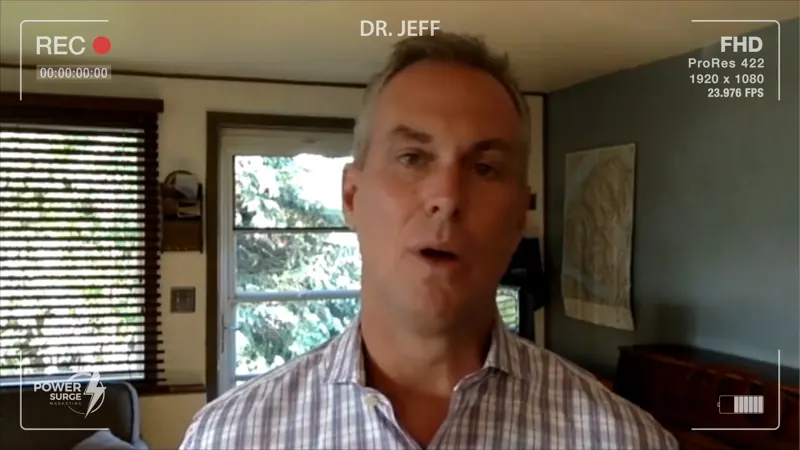
“It’s changed my practice. … This has just been a godsend for us.”
Dr. Jeff
On his PowerSURGE marketing experience
“It’s changed my practice. It’s changed our approach.”
Start with the priorities that will help your practice now.
Messages, calendars and workflows configured and tested together.
Practical onboarding and support to help your people use the system.
Where would it make the biggest difference?Let’s look at what you have and find your starting point.
Let’s talk about my practicePowerPANEL is PowerSURGE’s branded HighLevel marketing platform, shaped around chiropractic practices. We help you choose the right starting point, connect the tools, configure the workflows and get your team comfortable using them.
Dr. John valued a team he could reach—and training his staff could put to use.
On working with PowerSURGEYes. Your clinical records and care decisions stay in your clinical workflow. We review the actual booking and communication connections, then choose how PowerPANEL fits around the tools your team already uses.
Up to five functional AI roles can be configured as part of your agreed setup. We choose the jobs, channels and handoff points around your practice, so each role has a clear purpose and your team knows when to step in.
Yes. The conversation, contact record and assigned action stay visible. Your team can step in with context, and questions requiring clinical judgment or personal attention should go to the appropriate person.
Start with the job you want working better—responding to inquiries, booking, follow-up, your online presence or clearer reporting. We look at the tools you already use and map the right setup around your priorities, with room to connect more of the journey.
For Dr. Stacey, the difference was a clear plan for what happened next.
On working with PowerSURGETHE SPIRIT OF POWERSURGE

How long is an appointment?
Hi Maya! First visits get a little extra time to settle in and talk things through 😊 Follow-ups are usually shorter. Is this your first visit with us?